Showing posts with label iPhone Docks. Show all posts

Sunday, 22 June 2014

Fruity Picks #5 - Multi-device Docking Station

I seem to write a lot of posts about device docks - and here’s another. Individual docks for iPhones and iPads are all well and good, but each one needs a cable and power source, and often docks are device specific. Sometimes you need something a bit more flexible and I believe I’ve now found my preferred solution (at least for now!), even though it doesn’t have a name or a manufacturer! So I’ll call it the MdDS (Multi-device Docking Station), from an unknown Chinese maker.

The MdDS is not designed as a portable device dock, but it is light enough to  put in a bag and not break your clavicle. It does take up a bit of room, but then it is designed to charge two devices simultaneously - and it has a speaker built in. Not bad for £33 (including P&P). But it gets better.

The MdDS uses a modular connection system allowing you to plug in different connectors for different devices. It comes with a straight lightning connector, an iPhone 5 connector with 3.5mm audio jack, a pair of older 30pin dock connectors and a micro USB connector for good measure. The unit feels sturdy and of decent quality, although the plug-in connectors are little bit lightweight. There are a couple of detachable tabs which lend a modicum of support to larger devices.

The MdDS comes with a proprietary USB cable with a connection to a DC 5V 2.5A socket on the device. Unfortunately I mislaid mine on the first week of my travels and could not find a replacement on-line. However, we took a trip to Maplin, taking the device with us, and the guys there let me try out a switchable mains adaptor with a variety of connections, and we found one that worked* (although it cost £20.00!). I've since relocated the USB lead, but they are clearly difficult to come by. So be warned! I'm using a standard Apple 10W iPad charger to power the unit - you need to provide this or something similar yourself.

MdDS with iPad Mini and iPhone 5 Charging

I use the Logitech Mini Boombox as my portable bluetooth speaker of choice so I’m not too fussed over the MdDS speaker which has a pair of 3W units inside. These produce a reasonably clean sound, weak on bass, but good enough if you have nothing else handy. You can toggle the input source using a switch on the top of the unit, or you can turn the speaker off completely.

Regardless of whether I’m at home or away, I want to be able to charge my iPad mini and iPhone overnight. This allows me to do exactly that - and only use a single power socket. I’ve bought two of them so I have a home and away solution.

* Switched Mode AC DC Adaptor for General Use (L06BR)


Friday, 15 February 2013

A Lightning Review of Lightning Docks

In my last post before Christmas I mentioned all the goodies I added to the Apple Harvest inventory over the past 6 months, and I promised to write about some of them but it's really hard to know where to start. The new iMac 27inch is purring away upstairs in the office (I'm writing this on the MacBook Air while watching the tele with one eye!) but that started as a horror story so I'll save that for another day. So I'm going to start with something a bit less exotic, but nevertheless essential in a busy office environment - namely docks…

Both the iPad mini and the iPhone 5 sport the new Apple Lightning connector. A lot of people have been very angry about Apple's decision to dump the old 30pin connector that has been around for the last 5 or so years since the introduction of the 3rd generation iPod. Whilst I have a number of accessories that do use the 30pin dock as standard I'm not going to lose any sleep over the change. Now I have a mixture of iOS devices that use Lightning and 30pin connections I bought a few (Apple and 3rd party) adaptors that get me through the day. And on the positive side, I like the fact that the Lightning connector is 'reversible' meaning it doesn't matter which way round you attach it to the device.

The downside has been that manufacturers seem to have been really slow on the uptake to provide Lightning specific accessories - at least, ones that are available in the UK. I particularly wanted Lightning docks for charging and potentially syncing both the iPad Mini and iPhone 5.  Syncing is less of an issue these days with iOS offering wireless syncing. I absolutely didn't want docks that weren't oriented to both devices, and I didn't want to have to be constantly taking off cases and putting them back on again. Happily I've found two excellent docks meeting my specifications. The first is from Belkin and the second from Sinjimoru. Both docks are striking in their design as you can see from the photos below.

Belkin Lightning Dock
        Sinjimoru Lighning Dock


The Sinjimoru dock can be configured for either the old 30 pin connector or Lightning but offers no other features. The Bekin is purely a Lightning dock but also has an AUX port at the back and connect to the headphone socket of the iPhone 5 via an ingenious fold down jack plug. It's because the plug can be folded into the stand that enables it to double up as an iPad mini dock. Check out the video to see this in action. Both docks can handle cases on the devices, although it can be a bit of a tight squeeze with the Sinjimoru.

The Belkin comes in at £24.99 (it's much more expensive on Amazon - £37.90!) while the Sinjimoru is a little cheaper at £19.95 and is available in black or white. On the Belkin UK site it says that the dock is currently available for pre-order but in fact it shipped the same day I put the order in. It is available from other UK distributors if there are problems sourcing it directly.

Ultimately the Belkin is probably the more flexible device given the additional features and its slightly better ability to handle an iPad mini in a case, but only if you need this and can get the dock at the right price. The Apple Harvest homestead is configured with Sinjimoru docks in the bedroom and office whilst the Belkin lives downstairs in the living room.

There, at last. First post of 2013 completed and posted. See you next time!


Friday, 11 December 2009

Some Joby Jollies

A few weeks ago I bought myself a new compact digital camera, a Canon Powershot A480. Don't worry, this isn't turning into a photo blog. To go with my new camera I also picked up a Joby Gorillapod. You must have seen them - the funny little tripods made out of interlocking plastic balls that hook around tree branches, lampposts and the like. The original Gorillapod is as light as a feather and takes up hardly any space so it's ideal for slipping into your pocket.

When I first received my Gorillapod one of my first thoughts was - "hey that would work really well with the iPhone!". Of course, the iPhone doesn't have a hole for a tripod fitting so that one needed a rethink.

A few days later I was on Amazon's UK web site and, lo and behold, one of my recommendations was a Gorillapod for the iPhone 3G/3GS. Strictly speaking it was an original Gorillapod with a special iPhone 3G/3GS case that fitted into the Gorillapod's head. It was also rather on the pricey side; in the UK it is retailing at about £35.00. Bearing in mind that I had a perfectly good Gorillapod and a perfectly good iPhone case (Griffin Nu Form with EasyDock) I kept my hand in my pocket and my fingers well away from the 1-Click button.

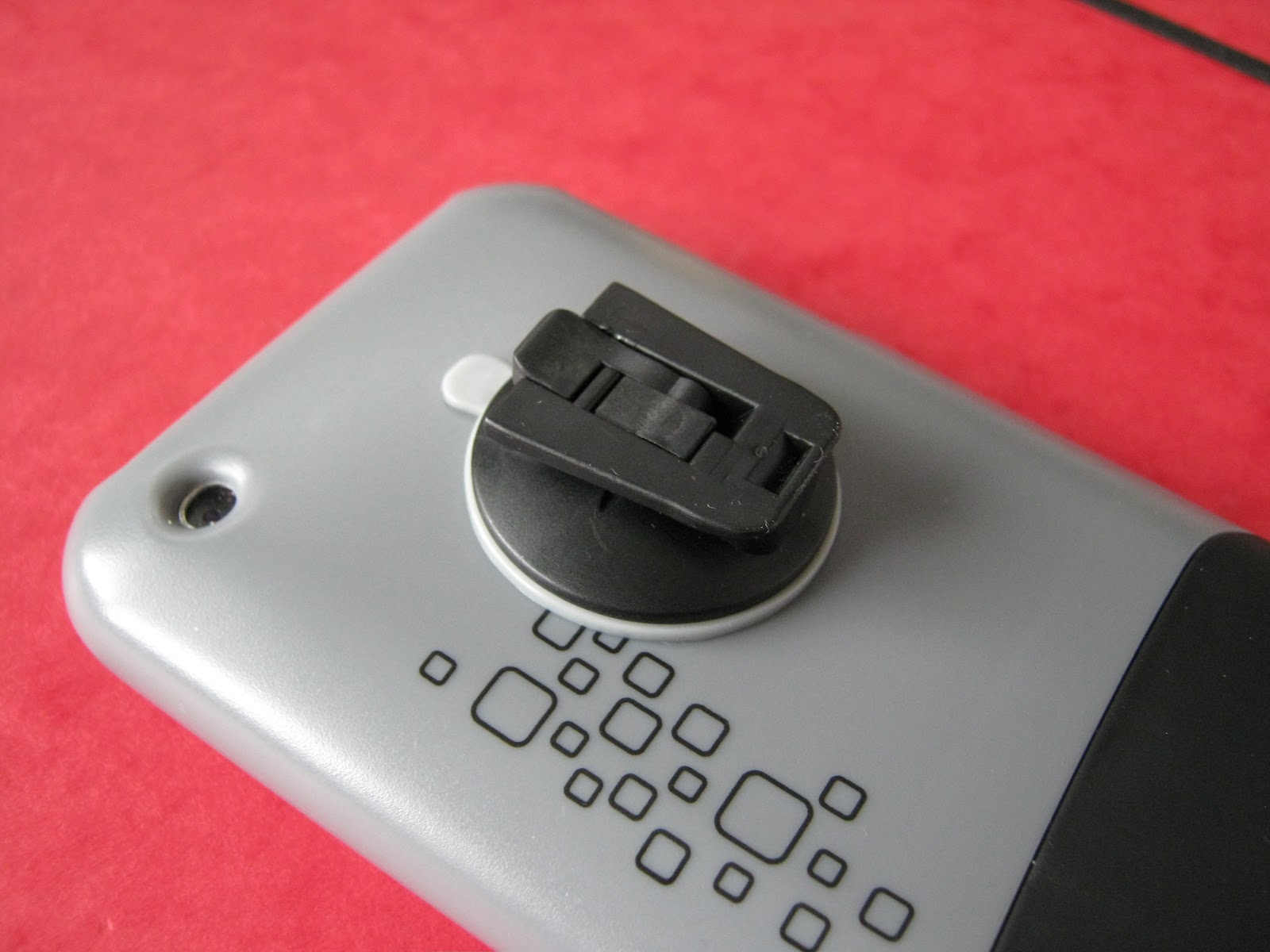
I was intrigued and decided to check out Joby's web site to see what other goodies might be available. Buried away was an offering of three additional Gorillapod heads; a suction cup and two adhesive pads. These were still a bit pricey (£10.00), but I was too far hooked on the idea by now and I went ahead and bought them. [UPDATE 14-Dec-2009: Bill has just come through and the actual price was £7.84 direct from Joby]

Joby_1.JPG

I have Apple docks for syncing with my iMac and my MBP, but the Gorillapod and iPhone combination is spot on as a stand-alone stand. The suction pad is top notch, with a lever action to ensure a tight seal, although I've seen various posts complaining about the iPhone falling off. It's certainly worth spending a moment or two to clean the case surface before applying the cup. My only criticism (more of a wish I could have), is the lack of a 'quick release' function. It is a bit of a faff to get the whole head off the Gorillapod, and though one can tug on the iPhone and simply pull off the suction cup, I'd prefer something a bit more elegant. I seem to end up holding the entire contraption whenever the phone rings which really doesn't look very cool!

Joby_2.JPG

To go with the Gorillapod, Joby have also released a free camera app for the iPhone called...wait for it...Gorillacam. Gorillacam adds a few extra features to the camera on the iPhone; a self-timer, a time-lapse facility and a 3 shot-burst function. There are some other features including a bubble level indicator, a grid display and a press anywhere feature. I guess all of these are available on the plethora of camera apps available on iTunes, but they were all new for me, and as a freebie I'm more than grateful for the self timer ability alone. The only drawback I've noticed is that it takes an inordinate amount of time to save photos once they've been taken, but hopefully that will get ironed out in the next version.

These Joby tools are a great addition to the casual photographers kit bag, and allow a bit of extra flexibility for the iPhone as a bonus. According to the Joby web site they are planning to bring out the iPhone case with Gorillapod attachment as an item in its own right for those who have already got a Gorillapod. That's certainly something worth considering for the future.

Friday, 23 October 2009

iHome Reson8 iPod/iPhone Alarm Clock and Dock

I've been on the lookout for a clock/dock and speaker system for my iPhone 3G and first generation iPod Touch for some time and finally my search is over with the purchase of iHome's Reson8 system.


Part of the problem has been that amongst the hundreds of docks available on the market, I was struggling to find one that met my specific criteria of:
  1. Size - portability was a must-have as I'm on the road a lot

  2. iPhone - fully compatible without having to shift into Airplane mode

  3. Charger - a given, as I don't want to carry extra docks and cable around

  4. Sound - good quality sound in a bedroom or hotel room

  5. Good looks - I don't want to wake up with something ugly

  6. Clock and Alarm - basic functions with sleep and snooze facilities

  7. Price - under £100.00; it's an alarm clock for goodness sake


To be honest I would have liked a dock that could also sync with my MacBook Pro, but that wasn't going to be a show stopper.


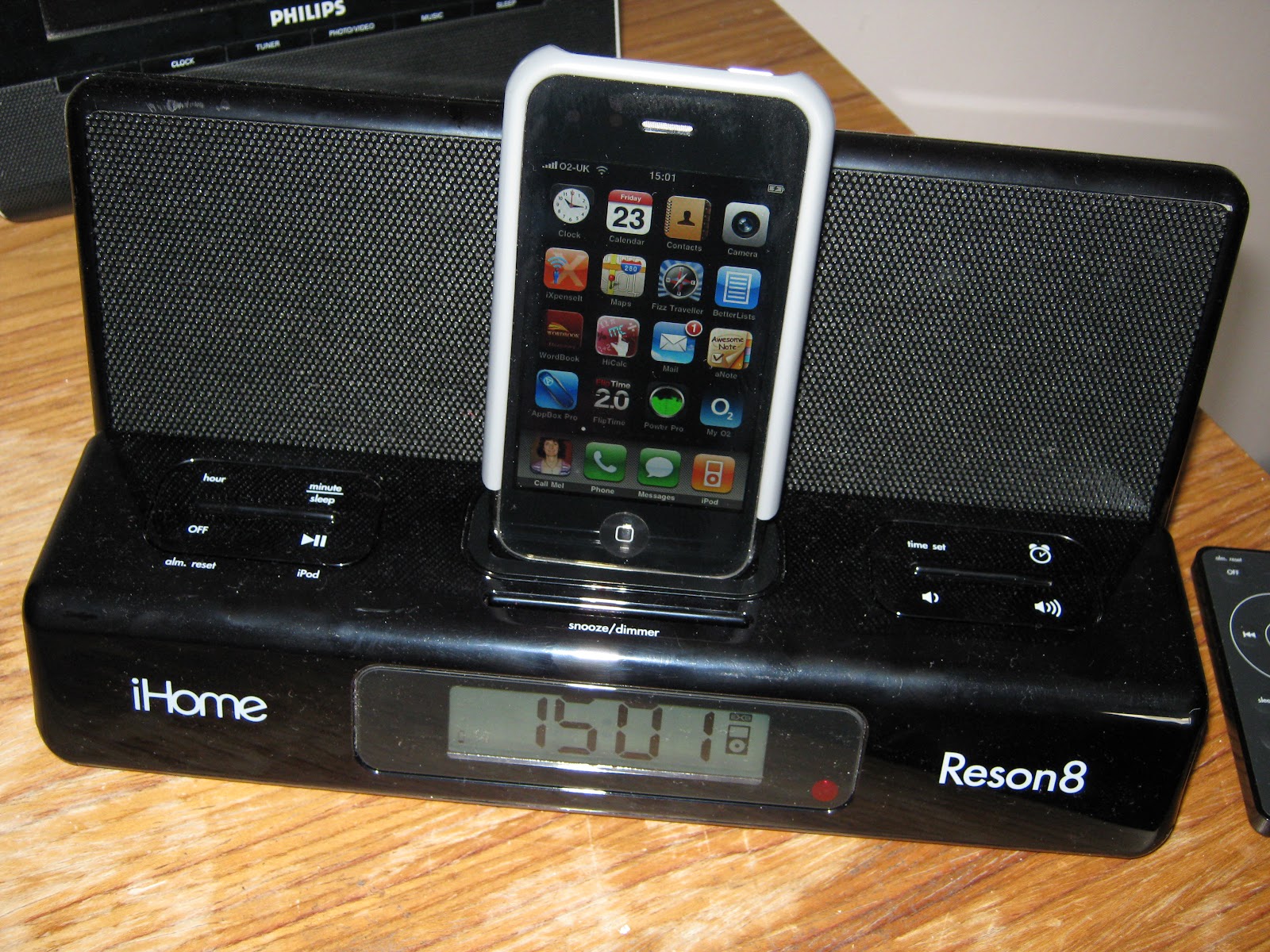
iHome's Reson8 or Model iP27 gets a tick mark in all the boxes. It has a relatively small footprint (W26xH4.5xD17 cm) when flat and when unfolded in normal operation (W26xH12xD13 cm). That gives a clue to it's canny design. When travelling the Reson8 lies flat (in it's own included carry case) and when you get to your destination you simply lift up the hinged speaker, plug the iPhone or iPod into one of the provided dock adapters and away you go.

IMG_0013.JPG


All iPhone functions are available while the iPhone is plugged in, but there is no sync facility as I mentioned. The phone will automatically charge as long as the system is plugged into the mains.

For such a small piece of kit, the Reson8 gives out a belting sound, easily enough to fill a reasonable size bedroom or hotel room without distorting. Pushing up the volume will certainly attract unwanted attention from other paying guests or family members depending on your location. A side mounted switch turns on the EXB or UPRO Wide Stereo function giving extra sound enhancement in the same way that the loudness button works on some stereo systems.

There is a simple LCD clock with a single alarm. Both snooze and sleep functions are provided allowing auto shut down at 90, 60, 30 or 15 minute intervals. The volume in sleep mode is independently adjustable from the normal volume. A four way dimmer switch is available for the display. The alarm works perfectly well in combination with the sleep function. A DST switch is incorporated into the unit for good measure.

The glossy black finish attracts a bit of dust and some grubby fingerprints, but the overall look and feel of the unit is very pleasing. A remote control is provided for many of the functions which has a very firm and durable feel to it.

I paid less than £90.00 including P&P for my Reson8 and I'm delighted with it. It's been well worth the wait. looks good, sounds good, and does everything demanded of it. You can't ask for much more than that...